
🏗️ Support Drawing Generator
Turn your support lists into standardized drawings — automatically.
Engineering projects often require hundreds of pipe supports, each conforming to internal company standards. Traditionally, generating fabrication-ready drawings for each support is time-consuming and error-prone.
Support Sketch changes that.
It reads support data from Excel or CSV files — exported from any 3D modeling system — and produces consistent, high-quality support drawings that match your predefined templates and BOM standards.
🔩 Steel Insight Studio
Turn “dumb” 3D solids into standard steel — automatically.
Most plant and structural models contain vendor or legacy solids with no section data. Manually figuring out the shape, picking the closest catalog size, and computing lengths and weights is slow and error-prone.
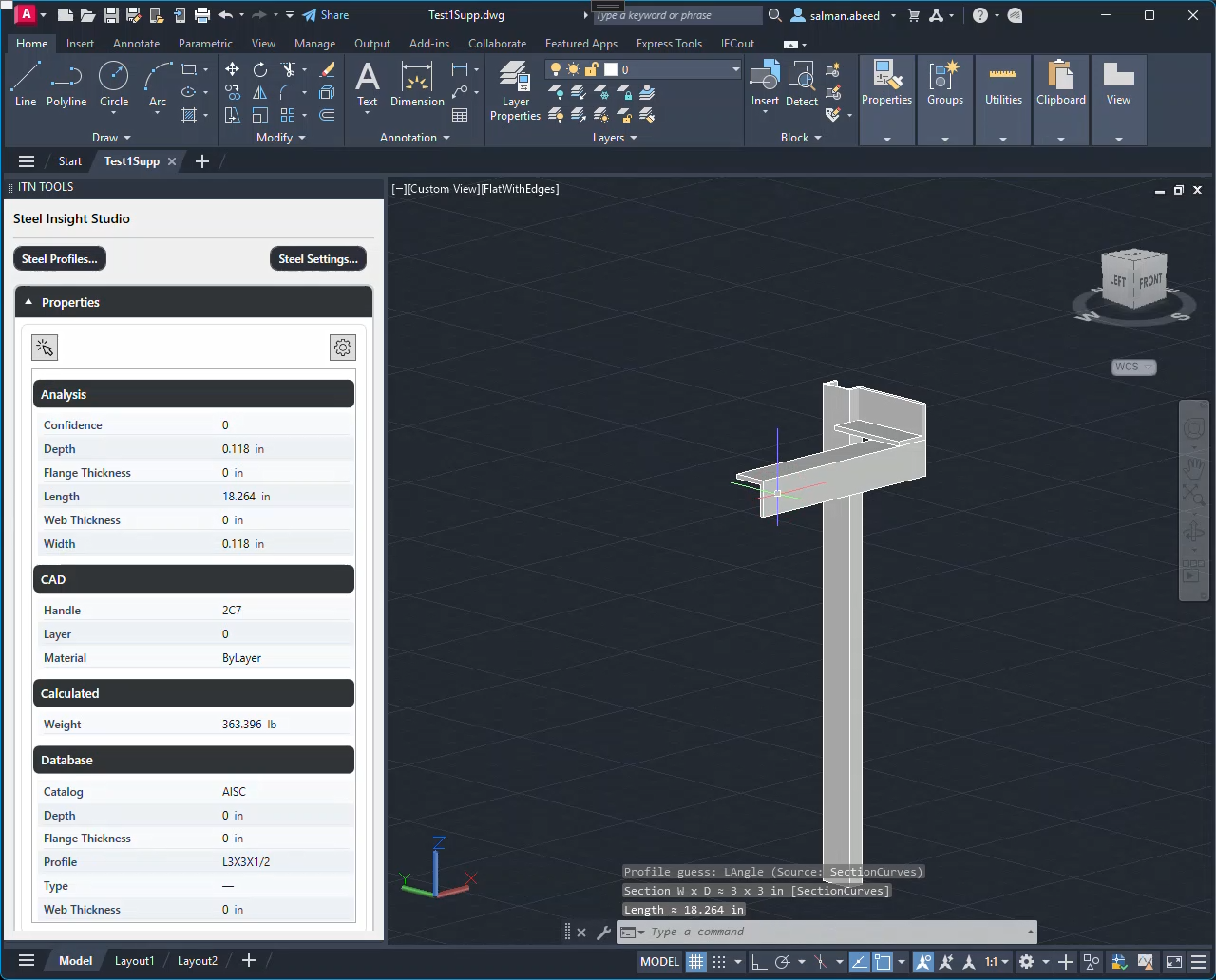
Steel Insight Studio recognizes steel profiles directly in AutoCAD, matches them to your catalog, calculates properties (length, weight, centerline), and can generate annotated shop drawings in one click.
🏗️ Key Features
-
✅ Excel-Based Input: Works with support lists exported from any platform.
-
🧠 Smart Validation: Automatically flags incomplete or unsupported entries.
-
🗂️ Flexible Mapping: Match any column format using our intuitive mapping engine.
-
🖨️ Auto Drawing Generation: Instantly create support drawings with sketches, metadata, and bill of materials.
-
🎨 Template Customization: Fully adapt layout, title blocks, and BOM style to your internal formats.
-
📂 Batch Processing: Generate hundreds of drawings in just a few clicks.
🔩Key Features
-
✅ Profile Recognition + Catalog Match: Identifies W/I-beam, channel, angle, pipe/tube, tee, plate/flat bar and maps to AISC/ASTM, EN/DIN, BS, JIS, etc., with project-level filters.
-
⚖️ Accurate Properties: Computes section size, length, weight/mass, area, CG; switch metric/imperial and everything updates instantly.
-
👁️ Property & Annotation Preview: Pick a solid to see the matched profile and key properties; live preview of the annotation you’ll place.
-
🧩 Customizable Annotations: Token-based templates—add/remove fields, reorder lines—what you preview is exactly what gets placed.
-
🗺️ Template-Driven Shop Drawings: Paper size, grids, views, BOM, and dimension rules generate consistent sheets in one click.
-
📄 DWG / PDF Output: Export per-sheet DWG and publish PDFs to your configured output folder for a clean handoff.
-
🛠️ Shared Configuration: Units, catalogs, annotation formats, and drawing templates align with (and can be shared by) Support Sketch.
- Watch It in Action - Support Sketch
See Support Sketch validate your inputs, gray-out invalid rows, and generate clean support drawings—live, on a real model. The video walks through picking rows, auto-fix suggestions, and one-click sheet creation (DWG/PDF).
 Watch in Action - Steel Insight Studio
Watch Steel Insight Studio recognize raw 3D solids, match them to standard steel profiles, and compute length/weight on the fly. You’ll see instant profile detection, unit switching, and annotation/BOM export.


🤝 Let’s Connect!
Have internal support specifications or sample project data?
Share a support list or a snippet of your piping model, and we’ll demonstrate how Support Sketch can automatically generate detailed support drawings — tailored to your standards.
Whether you’re looking to streamline drawing production, customize templates, or automate engineering workflows, our team is here to help.
📧 Reach out to us at support@intertwinednexus.com to start the conversation.